Speaker Diarization: Speaker Labels for Clearer Transcripts
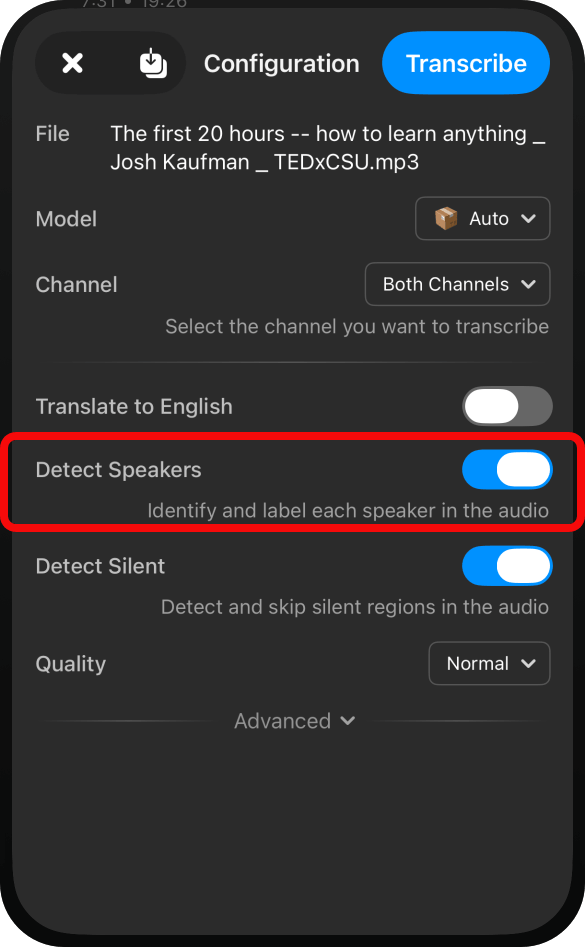
We’re excited to announce speaker diarization in AI Transcription. When a recording includes multiple voices, diarization detects different speakers across the recording and labels the corresponding transcript segments. That makes it easier to follow a conversation and see who said what.
Keep every voice in context
Instead of reading a block of text and trying to remember who said each line, you can use speaker labels such as “Speaker 1” and “Speaker 2” to keep the conversation organized. This is useful for interviews, meetings, podcasts, lectures, and other recordings with more than one speaker.
From recording to speaker-labeled transcript
Transcribe your recording in AI Transcription with speaker diarization. The transcript includes speaker labels alongside the recognized speech, making it easier to review the discussion, find a particular speaker’s remarks, and continue working with the transcript.
As with any transcription, clear audio helps. If voices overlap or sound very similar, review the relevant parts of the recording to confirm the words and speaker labels.